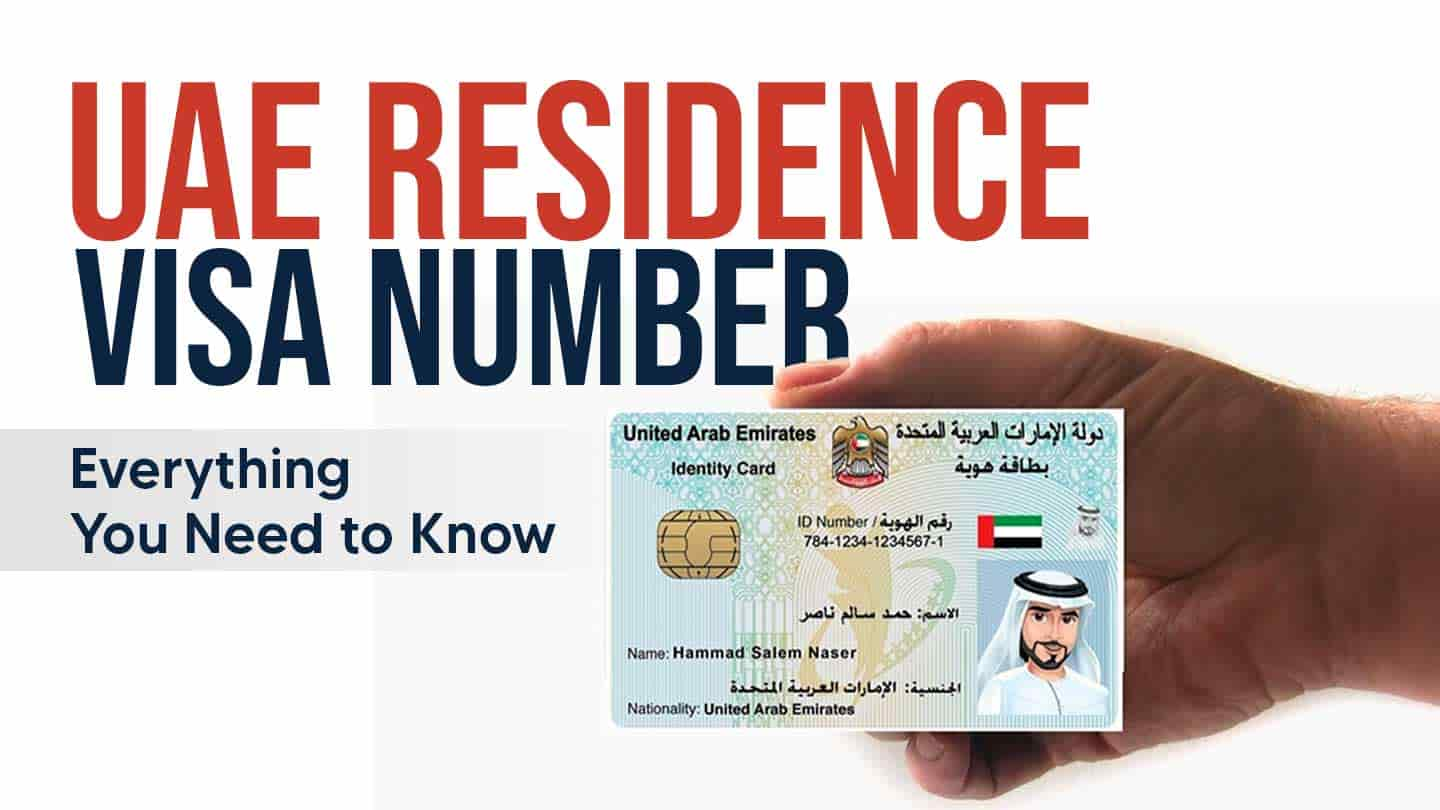
If you hold a UAE residence permit or are applying for one, understanding your UAE residence visa number is crucial. This unique identifier, issued by UAE immigration authorities, is a key piece of information required for a wide range of official and daily processes—from visa verification and Emirates ID applications to employment formalities and accessing government services.
A common point of confusion is locating this number on the visa stamp or document and distinguishing it from other details. For residents in Dubai, knowing how to find your Dubai residence visa number is especially important for navigating local procedures smoothly and avoiding unnecessary delays with immigration and other authorities.
This guide will explain everything you need to know about your UAE residence visa number: where to find it, how to use it, and why it’s so important.
What is the UAE Residence Visa Number?
A UAE Residence Visa Number is a unique identification code issued by the UAE immigration authorities to every individual granted a residence visa. It acts as the official reference for your residency record, linking directly to your personal details, sponsor, visa type, and validity period.
This critical number is printed on the visa sticker in your passport or available digitally via official portals like ICP (Federal Authority for Identity, Citizenship, Customs & Port Security) or the GDRFA (General Directorate of Residency and Foreigners Affairs).
You will need your residence visa number constantly throughout your stay to complete essential tasks such as:
- Applying for or renewing your Emirates ID.
- Opening a bank account.
- Accessing government and healthcare services.
- Processing employment documents or signing rental agreements.
In short, this number is your primary residency identifier in the UAE. It allows authorities and service providers to instantly verify your legal status, ensuring you can complete formalities in Dubai and across the UAE smoothly and without delay.
Why is Your UAE Residence Visa Number So Important?
Your UAE Residence Visa Number is far more than just a reference code; it is the essential key that unlocks your legal, professional, and daily life in the country. It is integral to virtually every official and administrative process you will encounter.
Here’s a breakdown of its critical roles:
- Visa Status Verification: It is the primary tool for authorities—and yourself—to instantly verify the validity, type, and details of your residency.
- Access to Government Services: You cannot apply for or renew your Emirates ID, process a visa renewal, or update your status without providing this number.
- Employment and Financial Onboarding: Employers require it for your official work file, and banks demand it to open accounts, issue cards, and comply with financial regulations.
- Smooth Travel and Immigration: The number is crucial for all entry, exit, and residency-related procedures at UAE ports of entry and with immigration authorities.
- Legal and Official Identification: It serves as your unique identifier within all UAE government and immigration databases, linking all your official records.
In short, without your correct residence visa number, you risk significant delays or an inability to complete essential formalities. Keeping it readily accessible is the simplest way to ensure smooth interactions with every institution in the UAE, from government departments to banks and employers.
Where to Find Your UAE Residence Visa Number
Your UAE Residence Visa Number is readily available on the official documents issued to you. Whether you have a physical stamp or an e-visa, here are the most reliable places to locate it, ensuring you can quickly reference it for any official procedure.
1. On Your Passport Visa Stamp
If you have a physical visa, open your passport to the page with the UAE residence visa sticker. Look near the top or along the side for a field labeled “Visa Number,” “Residence File Number,” or “File No.” This is the most direct and authoritative source.
2. On Your E-Visa or Official Approval Document
For digital visas, open the PDF file issued by the ICA (Federal Authority for Identity and Citizenship) or the GDRFA (General Directorate of Residency and Foreigners Affairs). Your residence visa number will be prominently displayed alongside your name, passport number, and visa validity dates. Using the search function (Ctrl+F) for “visa” or “number” can help you spot it instantly.
3. Via Official Government Apps and Portals
Log in to the ICA Smart Services or GDRFA Dubai app/website using your UAE Pass. Navigate to “Residency Services” or “Visa Details.” Your active visa information, including the full visa number, will be listed in your profile.
4. By Visiting an Amer or Tasheel Center
If you cannot access your documents digitally, visit a nearby Amer Center (in Dubai) or Tasheel Center (in other emirates). An agent can retrieve your visa details after verifying your identity with your passport and Emirates ID.
Pro Tip: Once you find your number, save it in a secure, accessible note on your phone. Having it on hand will expedite countless processes, from bank account openings to visa renewals and government service applications.
How Your UAE Residence Visa Number Affects Travel
Your UAE Residence Visa Number is a critical piece of information that directly impacts your travel experience—from booking your ticket to clearing immigration. It acts as the unique key that links your passport to your legal residency status in the UAE’s immigration system.
Here’s exactly how it affects each stage of your journey:
1. During Check-in & Pre-Departure
- Airlines are required to verify your right to enter your destination and your right to return to the UAE. Providing your residence visa number during online or airport check-in allows them to confirm your residency status is active and valid.
- Consequence of Error: An incorrect, expired, or cancelled visa number can result in boarding denial at your departure point, as the airline’s system will flag an invalid residency.
2. At UAE Immigration (Departure & Arrival)
- When you exit or re-enter the UAE, immigration officers scan your passport. The system instantly pulls up your file using your visa number to verify:
- Your current residency status.
- Your visa’s validity and expiry date.
- Your sponsor details and emirate of issuance.
- Consequence of Error: A mismatch or problem with your visa record can lead to significant delays, secondary screening, or even entry denial upon return.
3. For Online Forms & Transit
- Some countries’ electronic travel authorizations (e.g., Turkey’s e-Visa) or transit immigration forms may ask for your UAE residency details. Entering the correct number ensures seamless processing.
- It is also crucial for using smart/automated gates at UAE airports, which rely on a precise match between your passport and visa database.
Important Travel Tips
- During Visa Renewal: If your visa is under process or newly issued but not yet stamped, carry the official approval email or PDF containing your visa number. This is your proof of status.
- Always Double-Check: Ensure the name, passport number, and visa number on all travel documents and airline records match perfectly.
- Keep a Digital Copy: Save a photo or scan of your visa page and Emirates ID on your phone. It’s the fastest way to resolve any queries at an immigration counter.
Common UAE Visa Number Errors & How to Fix Them
A single digit out of place in your UAE residence visa number can cause major disruptions—from denied boarding to frozen bank accounts. Understanding these common errors and how to resolve them is key to a hassle-free residency.
Below is a quick guide to the most frequent issues, followed by detailed explanations and solutions.
| Error | Likely Cause | Immediate Action |
|---|---|---|
| Number Not Found in System | Recent issuance; system sync delay; input error. | Wait 24-48 hrs; verify on GDRFA/ICA portal; contact sponsor. |
| Passport-Visa Detail Mismatch | Typo in application; passport renewed after visa issued. | Request correction via sponsor/employer; update visa with new passport. |
| Using an Old Visa Number | New visa issued (renewal/change) generates a new number. | Discard old number; use only the number from your latest visa document. |
| Visa Shows Active After Cancellation | System delay or incomplete cancellation process. | Confirm status with sponsor; keep official cancellation proof for travel. |
| Can’t Access Details Online | Input error (passport/ID number); technical portal issue. | Try alternate login details; visit Amer/Tasheel center for assistance. |
1. Error: Visa Number “Not Found” in the System
The Problem: When entering your number on an airline, banking, or government portal, the system returns no record.
Common Causes:
- The visa was issued within the last 24-48 hours, and data hasn’t fully propagated.
- A typo was made when entering the number, passport details, or nationality.
- Rare system synchronization delays between emirate-level and federal databases.
The Fix:
- First Step: Double-check for input errors and try again.
- If Recently Issued: Wait 48 hours and re-check on the official ICA or GDRFA portal.
- If Problem Persists: Contact your sponsor/employer’s PRO or the relevant immigration authority directly.
2. Error: Mismatch Between Passport & Visa Details
The Problem: Your name, passport number, or nationality on the visa record does not match your current passport.
Common Causes:
- A clerical error during the initial visa application.
- You renewed your passport after your UAE residence visa was issued.
The Fix:
- This must be corrected officially. Your sponsor or employer needs to initiate a visa amendment with immigration authorities. Do not travel with a mismatch, as it will likely lead to being held at immigration.
3. Error: Confusing Old and New Visa Numbers
The Problem: You are attempting to use a previous, now-invalid visa number after renewing your visa or changing your status.
Key Fact: Every new residence visa comes with a completely new number. Your old number is deactivated.
The Fix:
- Always refer to the visa number printed on your most recent visa stamp or e-visa approval document. Destroy or archive old documents to avoid confusion.
4. Error: Visa Shows as Active After Cancellation
The Problem: Your visa appears valid in online checks even though it has been cancelled, risking travel issues if you attempt to re-enter.
Common Causes: Administrative delays in updating the central immigration database after a cancellation request is processed.
The Fix:
- Obtain and keep a copy of the official visa cancellation paper or confirmation from your former sponsor.
- Verify the status yourself on the ICA Smart Services portal. If it still shows active, your former sponsor must follow up with immigration to complete the process.
5. Error: Unable to Access Visa Details Online
The Problem: You cannot log in to the ICA or GDRFA portals to view your visa details.
Common Causes:
- Entering incorrect details (e.g., using your visa number when the portal asks for your Emirates ID or passport number).
- Technical issues with the app or website.
The Fix:
- Ensure you are using the correct credentials. Try logging in with your Emirates ID number via UAE Pass.
- If login fails, visit a customer service center (Amer in Dubai, Tasheel in other emirates) with your original documents for in-person assistance.
Pro Tip: When in doubt, your sponsor’s PRO (Public Relations Officer) or HR department is your primary channel for resolving most visa-related errors with the authorities.
Essential Tips for Managing Your UAE Residence Visa Number
Think of your UAE Residence Visa Number as a critical key to your life in the country. Just as you carefully manage important passwords or documents, proactive management of this number prevents administrative headaches and ensures seamless access to services.
Here are eight essential tips to keep your residency details secure, accurate, and always at hand.
| # | Tip | Key Action & Reason |
|---|---|---|
| 1 | Create Digital Backups | Save a clear scan/photo of your visa stamp and e-visa PDF in a secure cloud drive (Google Drive, iCloud) and email it to yourself. This ensures instant access from anywhere, even if your passport is misplaced. |
| 2 | Verify on Official Portals | Log in quarterly to the ICA Smart Services or GDRFA portal. This habit helps you spot discrepancies early and confirms your visa status is active and correct. |
| 3 | Ensure Cross-Document Consistency | Compare your visa number across your Emirates ID, employment contract, and bank records. Any mismatch can cause severe delays; resolve discrepancies immediately through your sponsor. |
| 4 | Guard It Like Sensitive Data | Only share your number with verified entities: government authorities, your employer’s HR, or licensed banks. Never provide it over unsecured channels like social media or random phone calls. |
| 5 | Set Automated Expiry Reminders | Mark your visa expiry date in your calendar 90 days in advance. This gives ample time for renewal procedures and avoids last-minute rushes or accidental overstaying. |
| 6 | Maintain an Organized Archive | Keep a dedicated folder (digital or physical) for all old visas, entry permits, and cancellation papers. These are often required for future visa applications or background checks. |
| 7 | Update Immediately After Changes | If you change jobs, sponsors, or renew your visa, confirm your new number. Each new residency grant comes with a new number; using an old one will invalidate transactions. |
| 8 | Carry Proof During Travel | When traveling, have a digital copy of your visa and Emirates ID on your phone. It’s the fastest way to resolve queries at airline counters or UAE immigration. |
By following these simple yet effective practices, you turn your residence visa number from a potential point of failure into a tool for smooth and confident living in the UAE.
You May Also Find Helpful
- How to Check Visa Status by Passport Number in the UAE
- How to Check Your UAE Visa Status Using ICA Smart Services
- How to Apply an Emirates ID in the UAE
- Emirates ID Status Check Online: The Ultimate Tracking Guide
- How to Get a UAE Residence Visa in 2026
- UAE Residence Visa Renewal 2026: New Rules, Cost & Process
- Your Guide to UAE Visa Cancellation
Stay Informed, Stay Compliant
Your UAE Residence Visa Number is the cornerstone of your legal residency. Mastering it—from knowing where to find it to ensuring it’s updated across all systems—isn’t about bureaucracy; it’s about securing a seamless experience for work, travel, and daily life in the UAE.
By staying organized, verifying details on official portals, and keeping digital copies secure, you protect yourself from delays and complications. Remember, this single number is your key to compliance.
Need Expert Assistance?
If you have questions about verification, renewal, or correcting your visa details, professional guidance is the fastest way to a resolution.
Contact Shuraa Today:
- Call: +971 4 408 1900
- WhatsApp: +971 50 777 5554
- Email: info@shuraa.com
Get fast, reliable, and professional support to keep your residency status perfectly on track.
Frequently Asked Questions (FAQs)
Find quick answers to the most common questions about your UAE Residence Visa Number.
1. How can I check my UAE residence visa number?
You have several options:
- Check the physical visa stamp in your passport.
- Refer to the digital e-visa PDF sent to you upon approval.
- Log in to the official ICA Smart Services or GDRFA portal/app using your UAE Pass.
2. Where exactly is the visa number printed on a UAE residence visa?
Look near the top or upper corner of the visa sticker in your passport. It is typically labeled as “Visa No.,” “File No.,” or “Residence File Number.” On e-visas, it’s clearly marked within the document.
3. Is the UAE residence visa number different from the Emirates ID number?
Yes, they are completely different. Your residence visa number is issued by immigration for your residency status. Your Emirates ID number is a separate, unique national identity number used for all identification purposes within the UAE. You need your visa number to apply for your Emirates ID.
4. How many digits does a UAE residence visa number contain?
The format can vary, but it generally consists of 9 to 14 characters, which may include digits, slashes (/) or hyphens (-). The exact format depends on the issuing emirate and the year of issuance.
5. Can I get my UAE residence visa number online?
Absolutely. You can retrieve it 24/7 by logging into your account on the:
- Federal Portal: ICA Smart Services (for visas issued by the Federal Authority for Identity, Citizenship, Customs & Port Security).
- Emirate-Specific Portal: GDRFA Dubai app/website (for Dubai-issued visas).
6. Why is the UAE residence visa number so important?
It is your primary identifier for all residency-related matters. You need it to:
- Renew your visa or change your status.
- Apply for or renew your Emirates ID.
- Open a bank account or secure a loan.
- Verify your legal status during travel.
- Access most government services.
7. What should I do if I lose my residence visa copy?
Don’t panic. Your record is digital. You can:
- Access the number online via the official portals mentioned above.
- Contact your sponsor, employer, or PRO—they can retrieve it from the immigration system.
- Visit an Amer (Dubai) or Tasheel (other emirates) center for assistance.
8. Is the residence visa number required for travel?
Yes, critically. Airlines verify it at check-in to confirm your right to return to the UAE. UAE Immigration uses it upon your arrival to instantly pull up your residency file and validate your entry.
9. Does the visa number change after renewal?
Yes, in the vast majority of cases. Each new residence visa (upon renewal, transfer, or status change) is issued with a brand-new visa number. Always discard the old number and use the one from your latest visa document.
10. Can employers or sponsors access my visa number?
Yes. Your sponsor (employer or family member) and their authorized PRO have legal access to your full visa details, including the number, through the official immigration channels linked to their sponsorship file.
Still have complex questions about your visa status or need help with a renewal? Our experts are here to provide clear, reliable guidance. Contact Shuraa for professional assistance →